
Ambient sounds for sleep and focus.
Rest deeper at night. Stay focused during the day.


Covered by ZDNET, 9to5Mac and Dense Discovery.See the press page

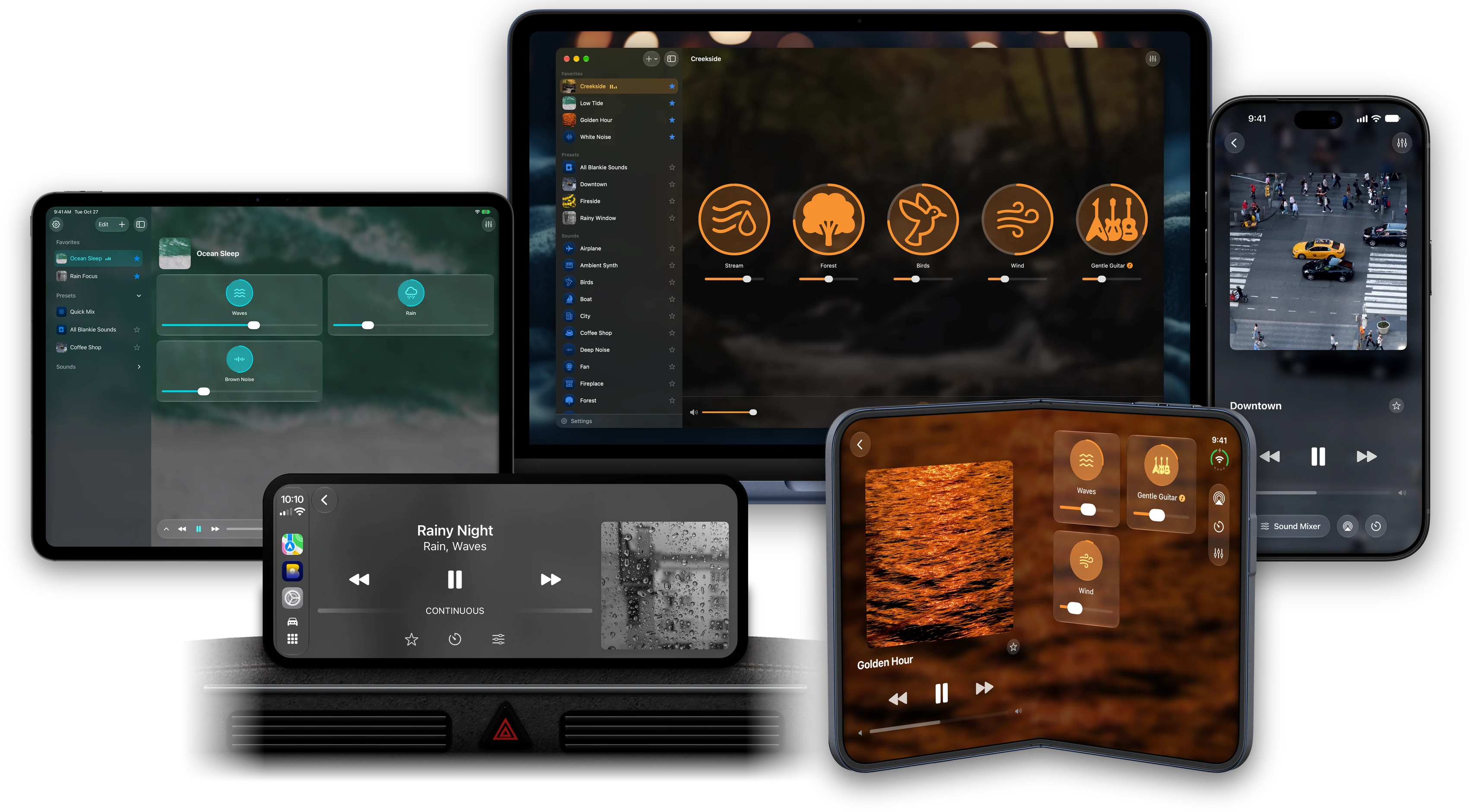
Every device
A Blankie for every screen.
Ready on your nightstand
Start your bedtime preset from a Home Screen widget or Siri, set a sleep timer and give your Lock Screen a looping video backdrop.
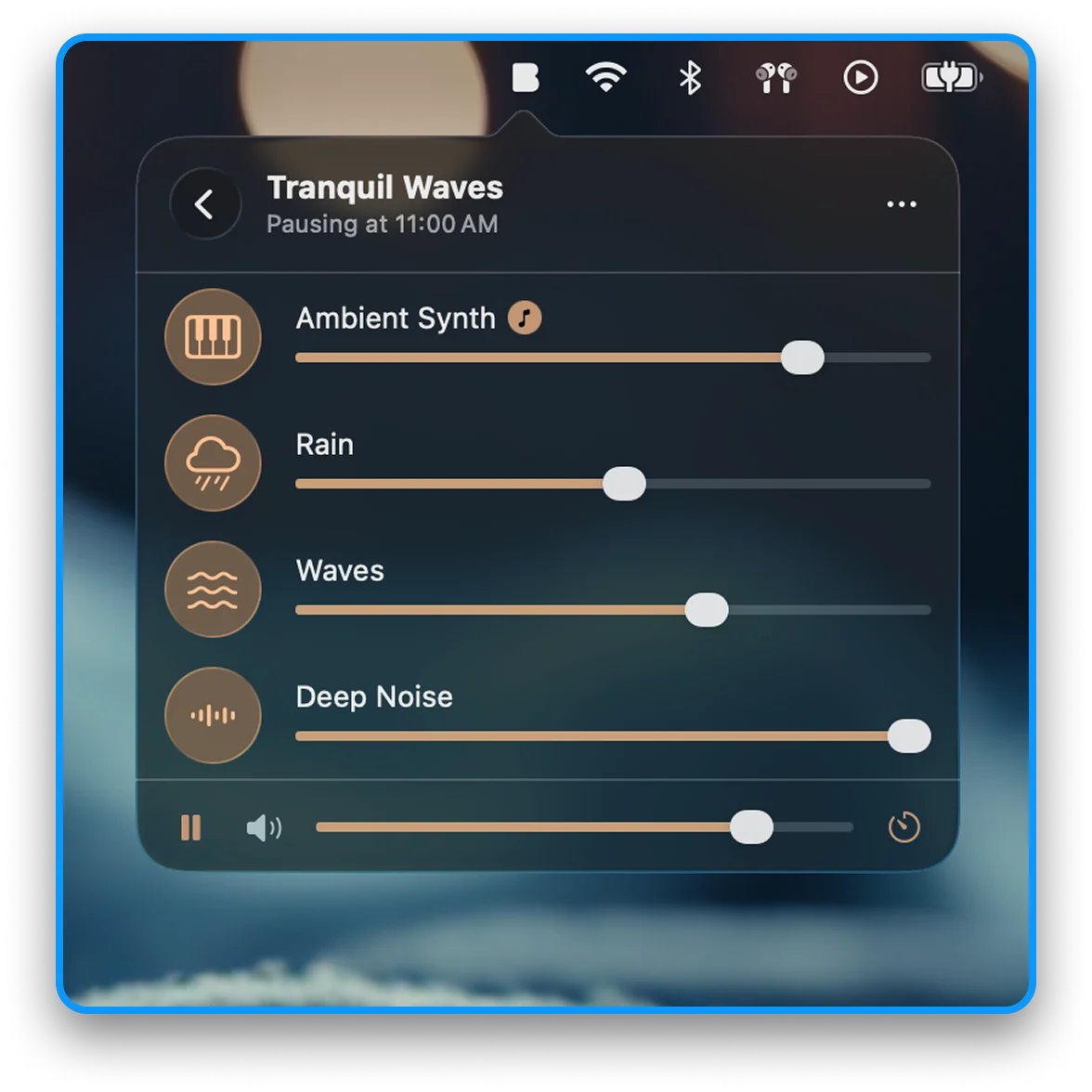
Mix from your menu bar
Start, stop and adjust your mixes from the Mac menu bar while you work. You can also hide the Dock icon and keep Blankie running in the background.
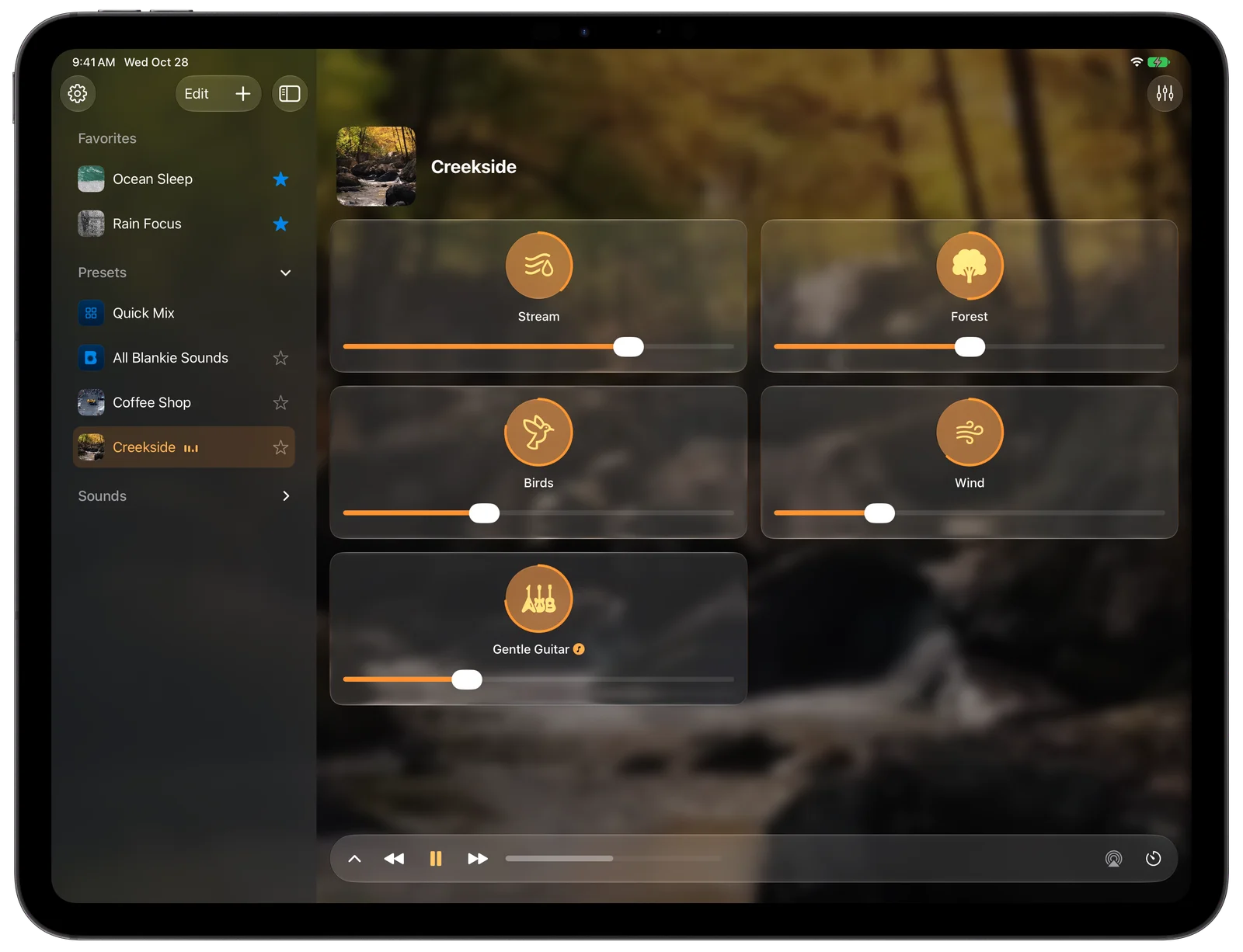
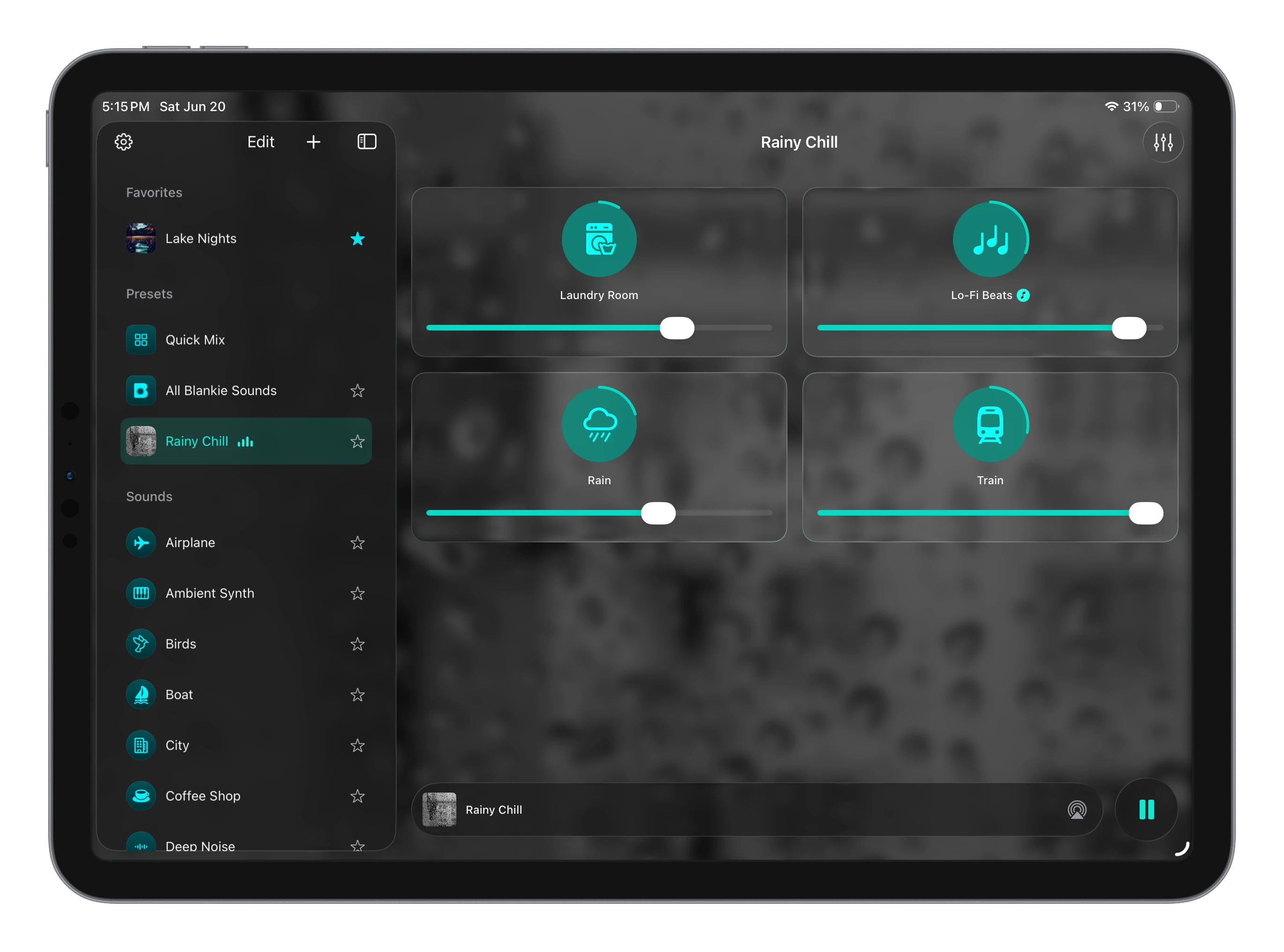
Sidebar and mixer, side by side
Your favorite presets and Quick Mix sit in a sidebar on the left, with sounds and controls on the right.
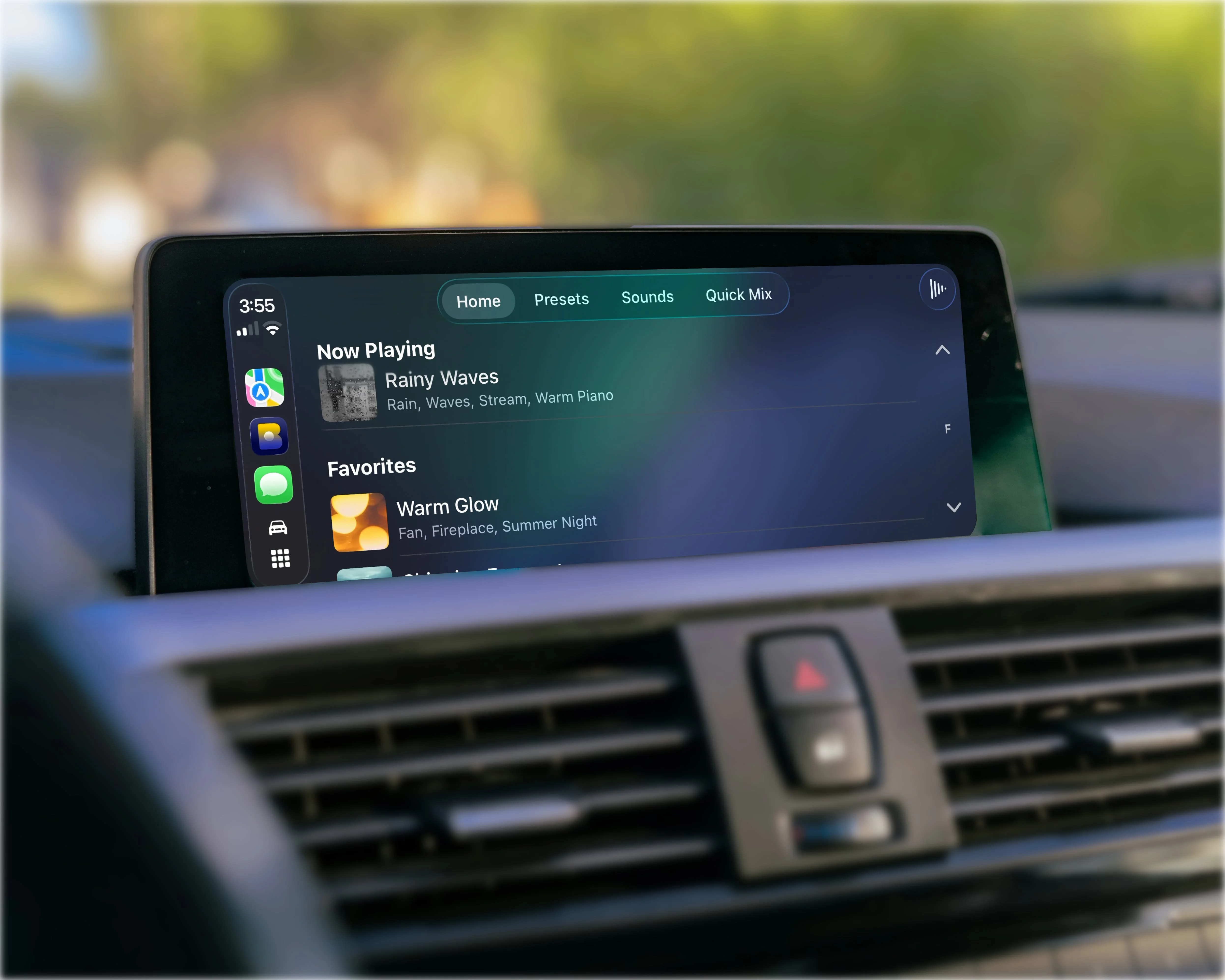
Calm drives and naptime rides
Mix rain, white noise or your favorite presets in the car when you need to focus or relax, or when it's nap time for a little one in the back seat.
Works in every pose of iPhone Duo
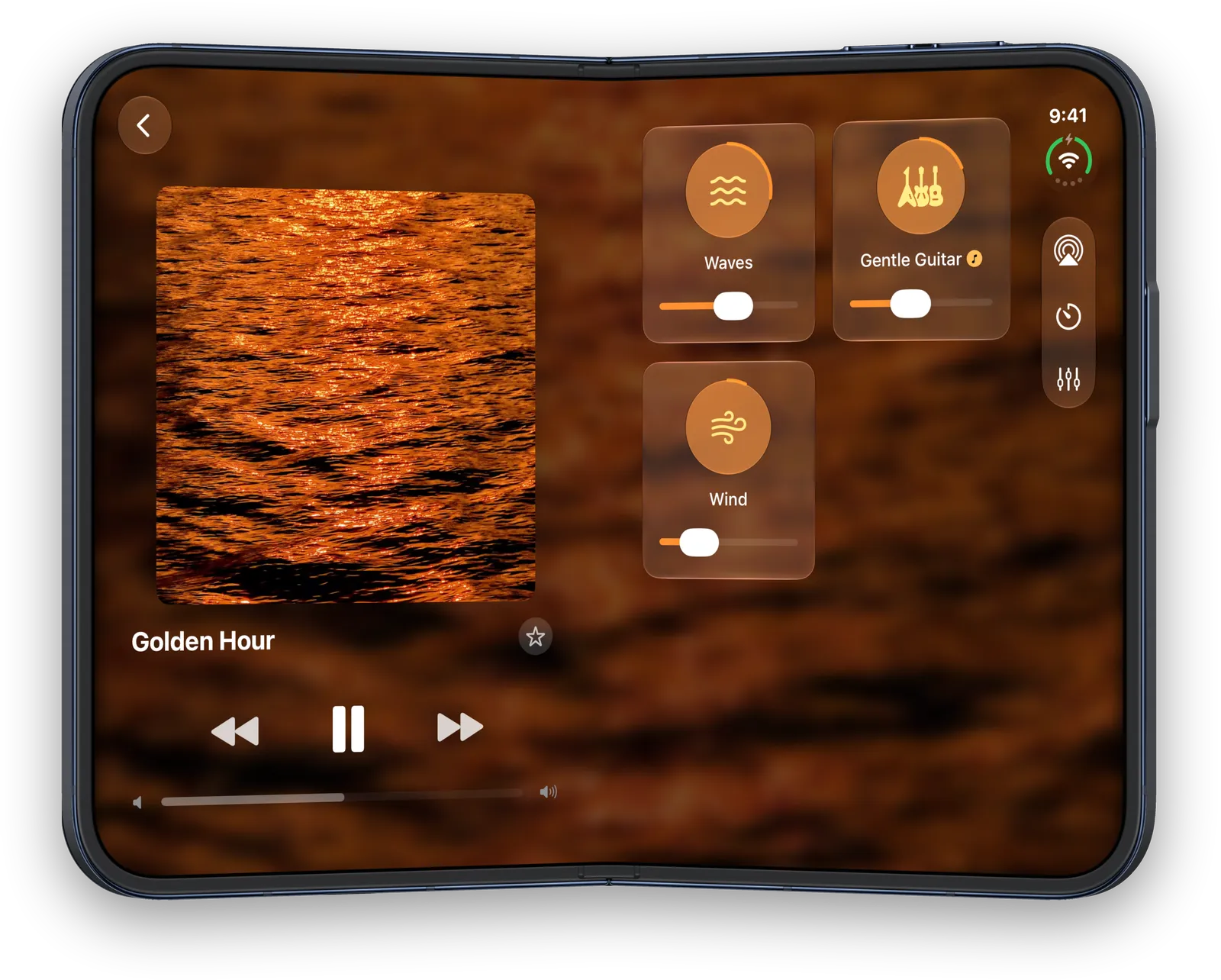
Set it down half-folded on your nightstand and the upright screen shows what's playing with your sound and controls on the flat half. Unfold it like a book and Now Playing splits along the spine onto the left page with sound mixing on the right.
See every pose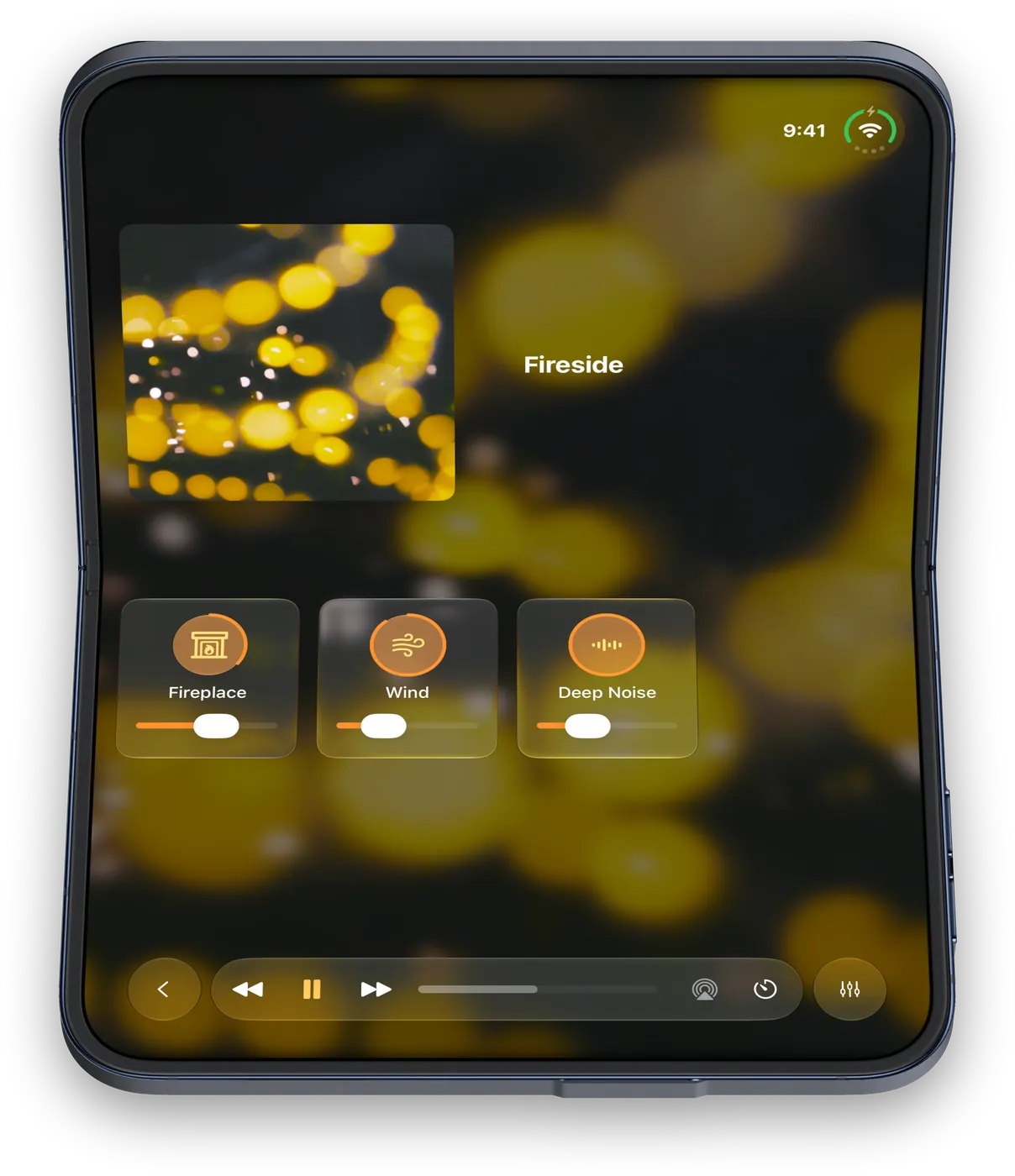

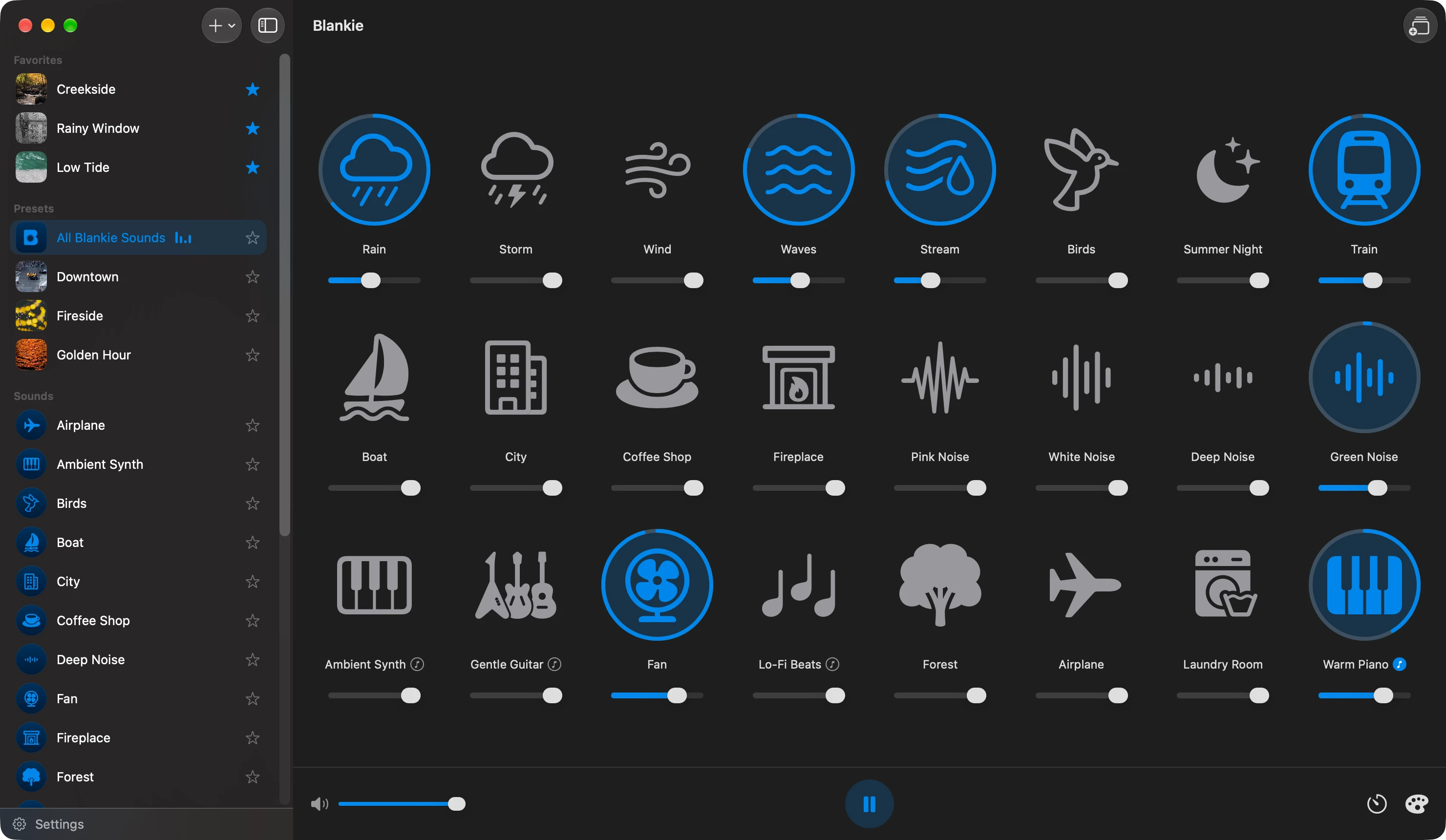
Mix
Layer as many sounds as you like.
Blankie comes with 24 built-in sounds, from steady rain and bedroom fans to coffee shops and brown noise. Start with one, layer in another and adjust each volume until you like how it sounds.
- Individually adjustable volumesEvery sound has its own slider, and each one can be as loud or quiet as you want.
- Bring your own soundsImport your own audio files and mix them in with the built-in sounds.
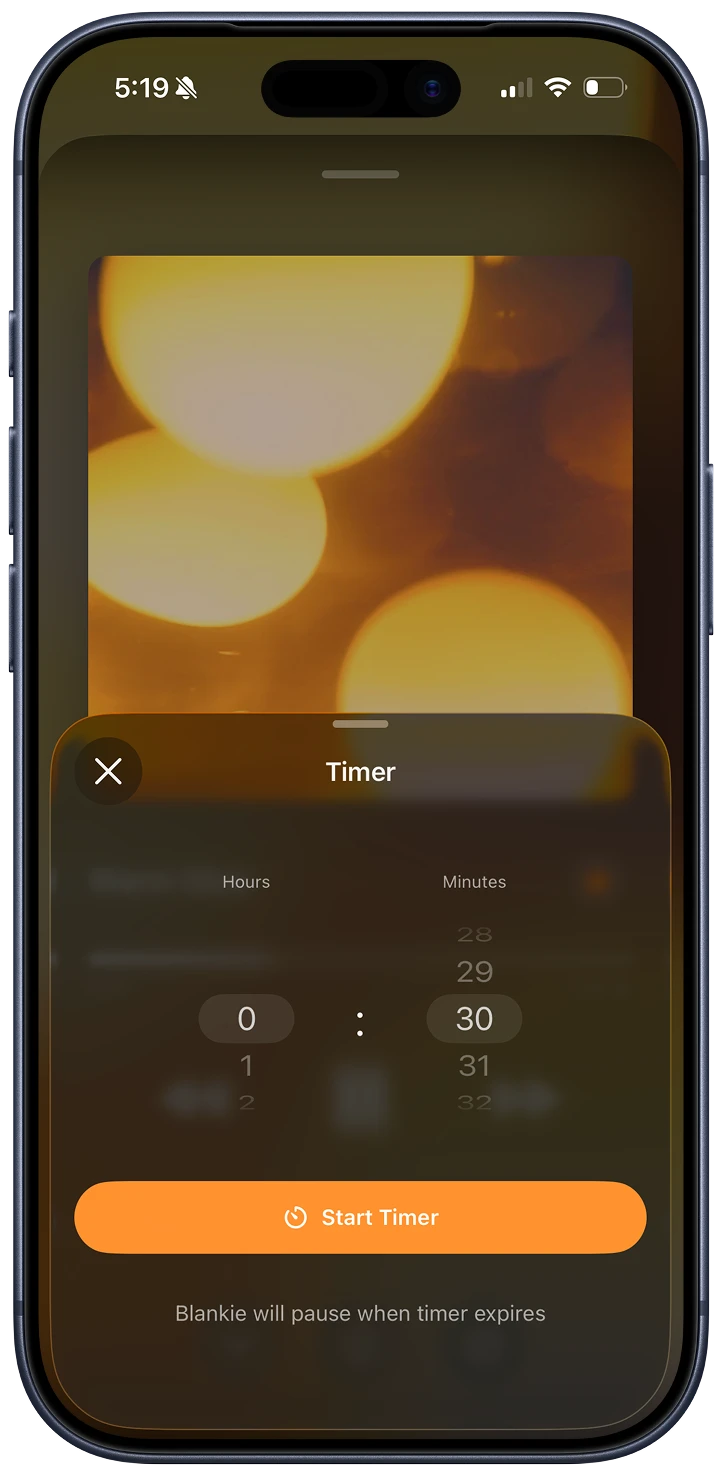
Sleep timer
Fall asleep without playing all night.
Optionally set how long Blankie should play when you get into bed and it automatically stops when the timer ends.
- Short fade at bedtimeWhen the timer ends, sounds briefly fade instead of a hard stop.
- All-night loopsLike to listen all night? Seamless loops are hand-tuned to play with no audible gaps.

Presets
Save your mixes for sleep and work.
Build separate presets for bedtime and drowning out a noisy office. Star favorites to quickly find them in widgets and CarPlay.
- Heavy Rain SleepRain + Brown Noise + Fan
- Cozy Night InFireplace + Wind + Warm Piano
- Ocean FocusGreen Noise + Waves + Lo-Fi Beats
Customize
Make it unmistakably yours.
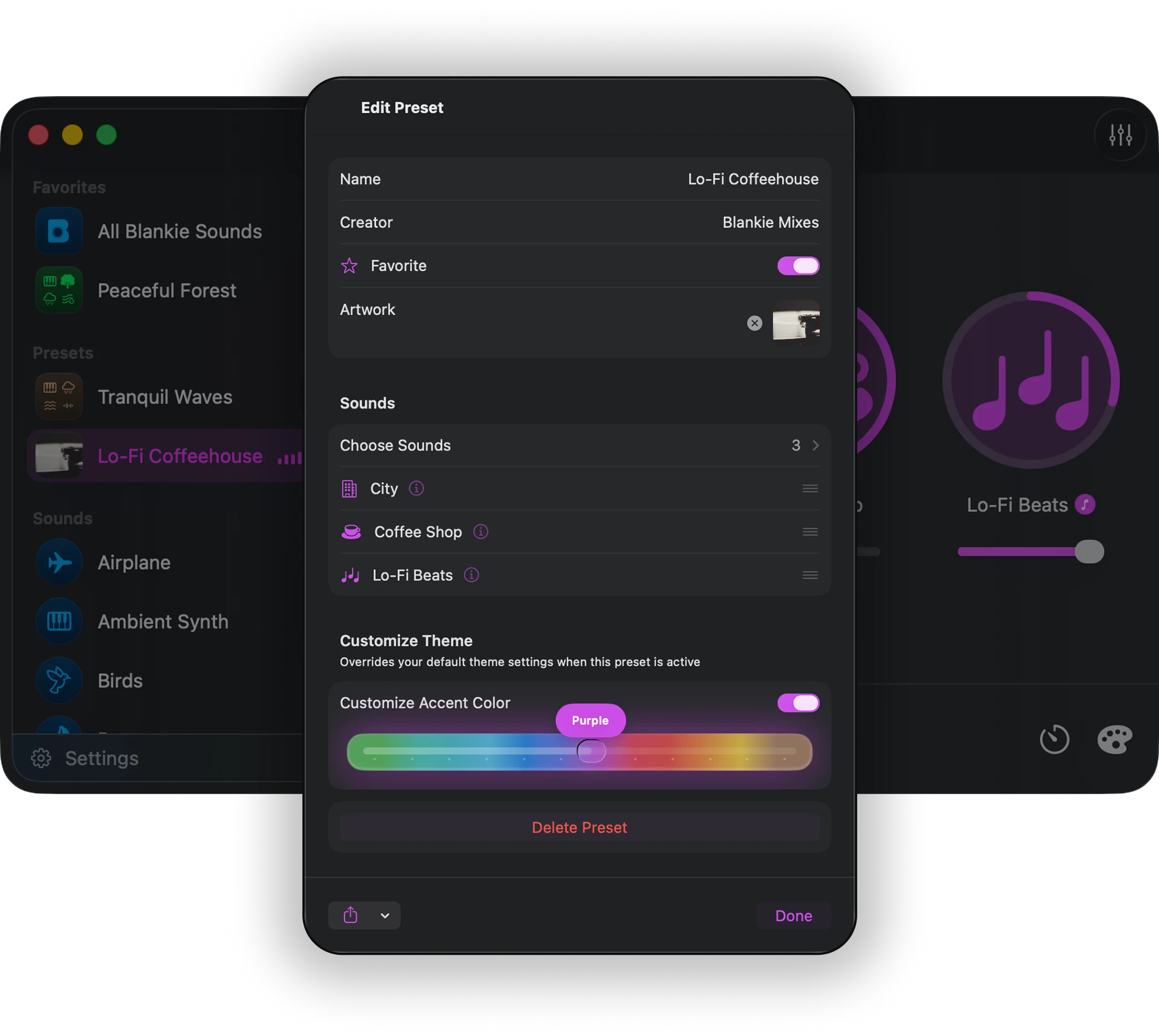
Each preset can look the part with its own background photo and accent color.
- Customize colorsSet a unique accent color for each preset.
- Customize artworkChoose background photos and Lock Screen animations for each mix.

And everything else you need to settle in.
Localized in 12 languages
Blankie is available in 12 languages, with more added all the time by community translators.
Control it everywhere
Use Home Screen widgets, Siri, Shortcuts or find presets and sounds in Spotlight. Control Center, headphones and media keys work too.
Offline & private by design
Works fully offline and collects nothing about you. No ads, no subscriptions, no accounts, no tracking.
Apple IntelligenceWhere available
Blankie can suggest names and icons using the on-device AI model.
Spatial AudioExperimental
Place a preset's sounds around you on a draggable map, rendered binaurally on any headphones.
Open Source
Blankie is developed openly on GitHub and welcomes contributions from the community.
Reviews
Loved by listeners in 90+ countries.
“Anyone who works in a co-working space or office should download this immediately! So relaxing!”
“…this is exactly what I was looking for : a simple app , no ads, great sleep sounds and able to mix 5 sounds together!”
“I love this app and the flexibility of mixing the sounds. Each night I can try something different to see what works the best for me. I enjoy using it to read to as well. Gives the perfect sounds to block out the rest of my surroundings.”
“I want rain sounds, it makes rain sounds. I don’t want anything else, I don’t have to have anything else. I wish more software was this straightforward.”
“Car Play feature seems to be what makes this app really stand out, especially once I realized I didn’t have to pay for any subscriptions anymore. Very cool.”
“Super great app. 1. Free with no in-app purchases. :D 2. Genuinely high-quality sounds. :) 3. Adjustable however you like. :D”
“Wish I could rate it higher, perfect lightweight solution compared to having several YouTube tabs open”
“Very slick and easy to mix together custom soundscapes. And incredibly customizable to make it your own. I can’t believe it’s free!”
“Absolute silence lets you hear everything, like the pencil of your neighbor, and silent noises can become loud in comparison. This app plays relaxing background noises, even several at the same time, that allow you to sink in and thus help concentrating on what you are doing.”
Enjoying Blankie and want to help? Here are some ways you can support it:
Don't rent your relaxation.
Other sleep and focus apps lock sounds and features behind paywalls.Blankie gives you everything free, forever.
Blankie
Open SourceNo ads, no upsells and no sneaky business model. Why is Blankie free?
- All 24 built-in soundsIncluding classic sounds like rain and waves, four kinds of noise and music loops
- Unlimited adjustable layersMix as many simultaneous layers as you like with no limits
- Import your own audioBlankie automatically levels your imports so nothing gets lost in the mix
- CarPlay & iPhone Duo supportIn your car, or on your nightstand, Blankie is ready to go
- Widgets, Siri & ShortcutsPut Blankie on your Home Screen, or add Action Button and Focus automations
- Sleep timer & Lock Screen artA short fade when the timer ends, and looping video on the Lock Screen
- Shareable presetsSend mixes to friends as files they can open without an account
- 100% offline & privateWorks in airplane mode and never collects your data
- Translated into 12 languagesThanks to volunteer translators from around the world
- Every future update, freeNo paid tiers and nothing to unlock
Other apps
Free to try, then worse until you buy.
 $$
$$ $$
$$ $$$
$$$ $
$

- Limit what you can listen to or do until you pay
- Can monitor how you use the app
- Can track your location
- Can track you across other apps and the web
- Have free trials that start charging you automatically
- Don't have a CarPlay app
- Collect your personal information
- Can share your data with third-party advertisers

Download Blankie
Available now for iPhone, iPad and Mac.
Requires iOS/iPadOS 26.4 or later, or macOS 26 or later.
Recommended (Automatically Updates)